
Anime Shop Simulator system requirements
Published Steam minimums, what “recommended” does not say, and how to test with the free demo.
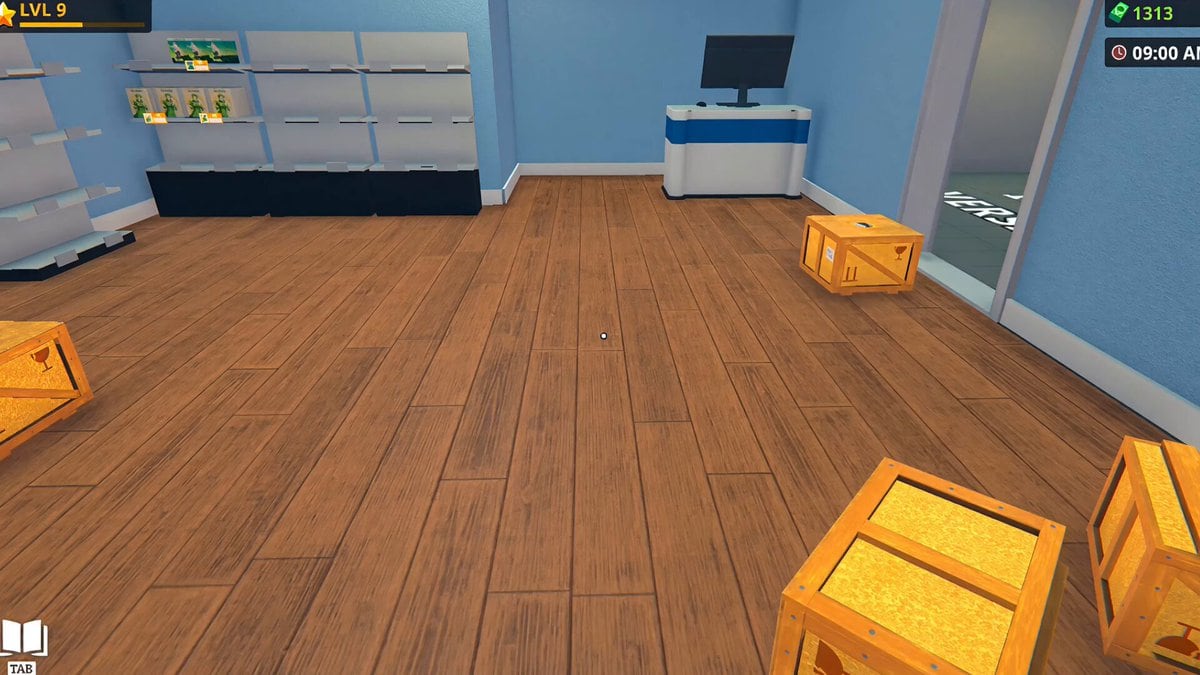
Anime Shop Simulator is a Windows Steam game. The store listing this wiki used published a minimum spec and left recommended mostly blank. Steam Deck compatibility is Unknown. The full game is scheduled for 11 September 2026; the honest hardware test today is the free demo from 19 February 2026.
If you fail these minimums, do not buy a launch-day key on hope. Run the demo. If the demo stutters in a single small shop, a packed festival day will not be smoother.
Minimum (Steam listing)
- OS: Windows 10 64-bit (64-bit processor and OS required)
- CPU: Intel Core i3 3.0 GHz or AMD Ryzen 3xxx
- RAM: 8 GB
- GPU: NVIDIA GeForce GTX 960 with 4 GB VRAM
- DirectX: 11
- Storage: 10 GB available space
Some recaps listed 4 GB RAM or 3 GB storage; those look like older or partial scrapes. This wiki follows the 8 GB / 10 GB line that appeared on the English, Japanese, and Simplified Chinese store mirrors we checked. If Steam edits the table, release date and this page should follow Steam, not a screenshot in a Discord rant.
Recommended
Public listings repeated “requires a 64-bit processor and operating system” under Recommended without a second CPU/GPU pair. That means the studio has not published a recommended SKU in the sources we used. Practical advice: if you plan 4-player co-op, give the host the strongest machine. Hosting a shop with four walkers, physics props, and a tournament table is not the same load as a solo screenshot.
Steam Deck and handhelds
The store said Unknown. There is no official Deck verification to quote. If you want to try it, install the demo in desktop mode, check frame time in the stockroom and at the till (two different camera loads), and keep a Bluetooth keyboard in mind for the numpad checkout habit described in controls. A Deck-only player who cannot type change will have a worse time than the GPU chart suggests.
No PlayStation, Xbox, or Switch SKU is in the public materials. Trailer comments asking for PS5 are not announcements.
Networking
Online co-op and in-game chat are listed interactive features. You need a stable connection for a four-person shift. The studio already reworked server creation after hosts failed to open lobbies — see demo notes. Hardware that meets GPU minimums can still fail a session on Wi-Fi that drops every time the microwave runs. Hosts: wired if you can.
Accessibility notes from the demo page
The demo store listed save anytime among accessibility features. That is a gift during a tutorial hour; use it. It does not replace a cash buffer. Other accessibility options may expand at launch; we will not invent a full TTS/colorblind table that Steam did not print.
Pre-flight before 11 September 2026
- Confirm Windows is 64-bit and up to date.
- Confirm you have 10 GB free on the Steam library drive, more if you keep screenshots.
- Update GPU drivers once, then do not chase daily drivers the night before launch.
- Run the demo for twenty minutes: walk, pick up a crate, scan a ticket, open a pack.
- If you co-op, have each friend complete step 4 before you schedule a four-person festival.
If step 4 fails, the tools hub cannot help you. Lower settings, close overlays, or wait for Deck/verification news after launch. A shop sim looks light on paper, but crates, card physics, and four networked avatars add up; give the demo the same drive and GPU you plan to use on 11 September 2026 so you are not surprised by hitching at the till.
Related
Calendar: release date. Session plan: getting started. Group play: co-op. Store and Discord: links.
Frequently Asked Questions
Quick answers for demo players and launch-day shopkeepers.
What are the Anime Shop Simulator system requirements?
Minimum: Windows 10 64-bit, i3 3.0 GHz or Ryzen 3xxx, 8 GB RAM, GTX 960 4 GB, DirectX 11, 10 GB storage. Recommended is not fully listed.
Will it run on Steam Deck?
Is there a Mac or Linux build?
The listings we used are Windows-focused. Do not assume Proton or a Mac wrapper until Steam says so.
How much space do I need?
10 GB available according to the store minimum. Keep extra room for Steam and screenshots.
Should the co-op host have a better PC?
Yes. Host the lobby on the strongest box. Netcode issues are separate — demo notes cover server-create fixes.