
Anime Shop Simulator Getting Started
A first-hour playbook for the Steam demo: licenses, orders, shelves, checkout, and a cash buffer that survives the afternoon.
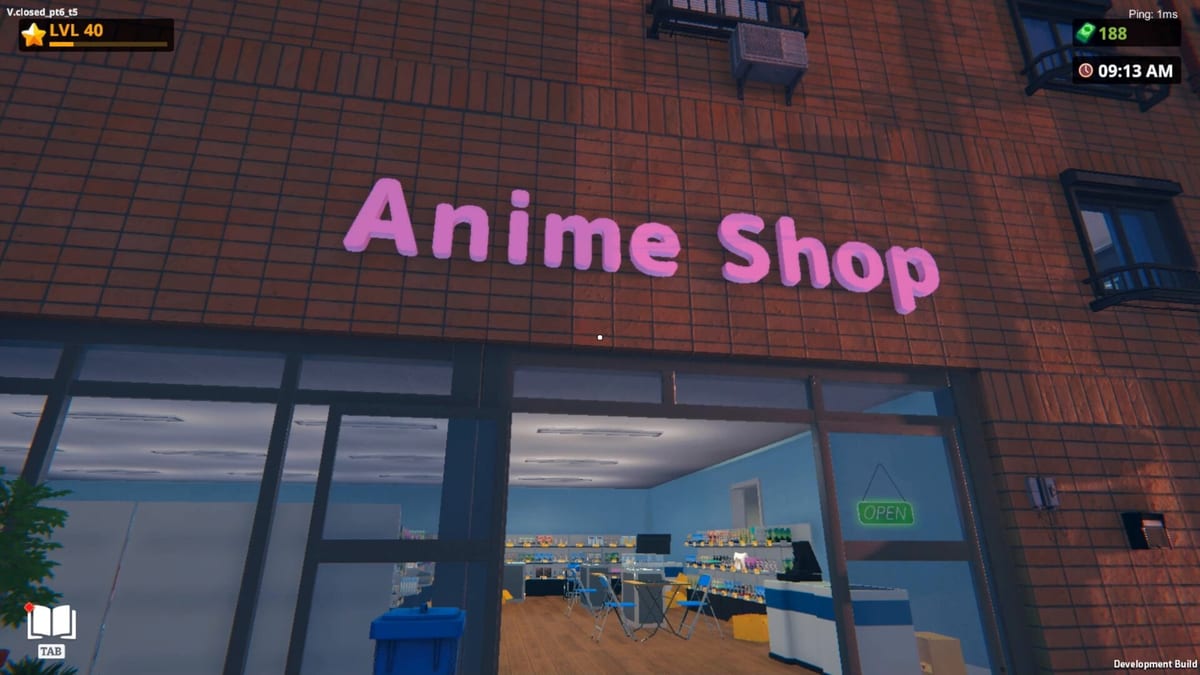
Anime Shop Simulator drops you in first person inside a small specialty store and asks you to make it feel like a real otaku shop before the till goes dry. The full game is still upcoming (11 September 2026). Everything here is for the free Steam demo that has been playable since 19 February 2026, plus closed playtests that used the same loop.
Your first hour is not about wallpaper. It is about a license, a restrained order, full facings, a working register, and enough cash left to restock what actually sells. If you want the install list and demo ceilings, use the demo walkthrough. If you want hands and keys, use shop controls. This page is the shift plan.
Name the shop and buy a license
Boot into a single-player save for the tutorial hour even if you plan to co-op later. Find the shop computer in the back office. Give the store a name you can live with — it is one of the customization toys (name, wallpaper, decorations) and it costs a chunk of early cash if you immediately pay to change the exterior sign.
The computer is also where product licenses live. Playtests start you with roughly nine hundred dollars and a closed catalog. The first license often sits near one hundred dollars; the next jumps hard (three hundred in several recordings). The demo only unlocks a short list — streamers counted about five licenses before the rest locked behind the full game.
Buy one license that feeds a whole aisle (manga is the usual first pick), not a vanity figure line you cannot fill. You cannot stock what you have not licensed, and you cannot serve a queue with empty shelves and a pretty logo.
First order without going broke
Open the order screen after the license, not before. Demo catalogs mix manga volumes, figure SKUs, booster packs or boxes, apparel, pins, keychains, and later age-gated body pillows. Shipping sits on top of the product total. A booster carton can swallow a hundred and forty dollars plus freight; three loose packs have eaten fifty dollars in a single click during playtests.
Never spend all cash on one order. A useful first buy is a manga backbone, a cheap figure facing, and a small booster test — not a sealed case. Leave a buffer of a few hundred dollars if the start cash is still near nine hundred. You will need that buffer the first time three customers empty a bay while you are still cutting tape in the stockroom.
Place the order, wait for delivery, then trash empty cartons instead of leaving them in the aisle. The back room exists so cardboard does not become furniture. Carry units to the correct fixture: books on book depth, figures at eye height, boosters low and dense. A longer aisle lecture lives in shop layout.
Stock shelves before you flip the sign
Do not open with half-empty bays. Customers in this genre punish holes faster than they punish a slightly high tag. Fill a continuous manga run nearest the door so the first thing a guest sees is product, not drywall. Park impulse cards and pins where the queue shuffles. Keep a walking lane from stockroom to register that two people can share — that matters the moment you invite a friend.
Price from the computer or the stock panel after facings exist. Playtesters often start at market or a modest bump (around twenty percent) and round to a clean number. One demo review claimed customers refused anything more than a tiny euro markup; treat that as a warning, not a law. Watch sell-through before any big hike. If a volume sits, drop it. If a pack evaporates, reorder that SKU first instead of spreading money across five new licenses.
Wallpaper and posters are for after the floor is shoppable. A decorated empty shop is still empty.
Checkout: scan, numpad, change
When the first guest hits the counter, you are in a different minigame. Scan each item, read the total, take the tender, and make change with the numpad if you have one — playtests call this out as the comfortable path. Credit cards skip the drawer; cash does not. If you overpay change, hover the extra bill in the register to pull it back rather than panicking and stuffing random notes.
Speed comes from stance, not from skipping scans. Stand so you can see both the queue and the nearest empty bay. After each ticket, glance at the hole they just made. Restock that SKU before you wander off to unbox a holographic. The controls page covers the interaction model in more detail; this page only cares that you do not lose the queue while learning it.
Age-restricted merch (dakimakura and similar) can demand an ID check. If a special client appears, slow down — the special clients notes exist because those visits are easy to fumble while you are still learning tender types.
Cash buffer and restock rhythm
Your second hour is won or lost in the twenty minutes after the first rush. Sold-through facings must return to the shelf immediately. Demo traffic can feel spiky and, without hired staff, solo play is a sprint between counter and stockroom. That is why the cash buffer matters: if the till is empty, you cannot reorder the manga that is printing money.
A practical rhythm:
- Serve the queue until it is two deep or less.
- Restock the two emptiest facings.
- Only then crack a booster or tweak a price.
- Reorder a SKU when you are down to a remnant, not when the bay is already air.
Unboxing is a trap in hour one. Boosters are fun and they feed the TCG collection, but every pack you open is a pack you cannot sell sealed. Keep a sealed facing, open a sample, and decide keep versus sell after you know which singles have a buyer. Use the pricing notes before you treat a rare as rent money.
When expansion is actually worth it
The computer will dangle storage, extra floor, signage, and more licenses. Expand after the current room is earning, not because an upstairs landing looks intriguing in a trailer. Playtests saw unused stairs and a stockroom that already solved cardboard overflow. Buying space you cannot fill just adds walking.
Unlock the next license when (a) the first aisle restocks from profit rather than start cash, (b) you can fill at least one fixture of the new line, and (c) you still have a reorder buffer. Figures and apparel wait until manga and a small card presence are stable. Events and tournaments wait until you can spare a body — see events and, if you have friends, co-op.
Co-op and what to learn next
If four of you dive in on day one, do not all stand at the register. Split register / restock / floor / computer even before events exist. The host should be the person who understands the till; the best carrier should own the stockroom path. Read co-op before you debug “failed to create server” in a voice chat.
After one clean solo hour you should know: how to license, how to order without going broke, how to fill a facing, how to close a cash ticket with the numpad, and how to restock a hole before decorating. Next reads: shop layout for the physical store, TCG cards once packs matter, and the release date page so you do not confuse demo walls with the September 2026 launch.
Frequently Asked Questions
Quick answers for demo players and launch-day shopkeepers.
What should I buy first in Anime Shop Simulator?
One product license that fills a whole aisle — usually manga — then a mixed order you can stock immediately. Skip emptying the till on boosters; details are in this guide and in TCG cards.
How much starting cash does the demo give you?
Playtests often show about nine hundred dollars. Treat that as demo-era, not a 1.0 promise, and keep a few hundred unspent so you can reorder after the first rush.
Should I open booster packs in the first hour?
Open a sample if you want to learn the TCG layer, but keep sealed packs on the shelf. Selling air because you ripped the only box is the fastest way to stall. See TCG cards.
When should I expand the shop?
After current fixtures are full, selling, and restocked from profit. Expansion is walking distance; it is not income. Shop layout covers how to spend space later.
Is checkout easier with a numpad?
Yes according to playtests. Scan, then punch change on the numpad. If you overpay, hover the extra bill to remove it. Full interaction notes are on shop controls.
Can I learn the first hour in co-op instead of solo?
You can, but assign roles on minute one. One register, one restock, one floor. The co-op guide explains Steam join and why four cashiers fail.